Data from any website — into a spreadsheet, by clicking
Multiparser is a browser extension. Show on a website's page what to collect: a list of products, prices, specifications. Our server collects it all and gives you a CSV or JSON file. No coding needed.
Install the extension How it worksFree, no sign-up: up to 100 cards per run.
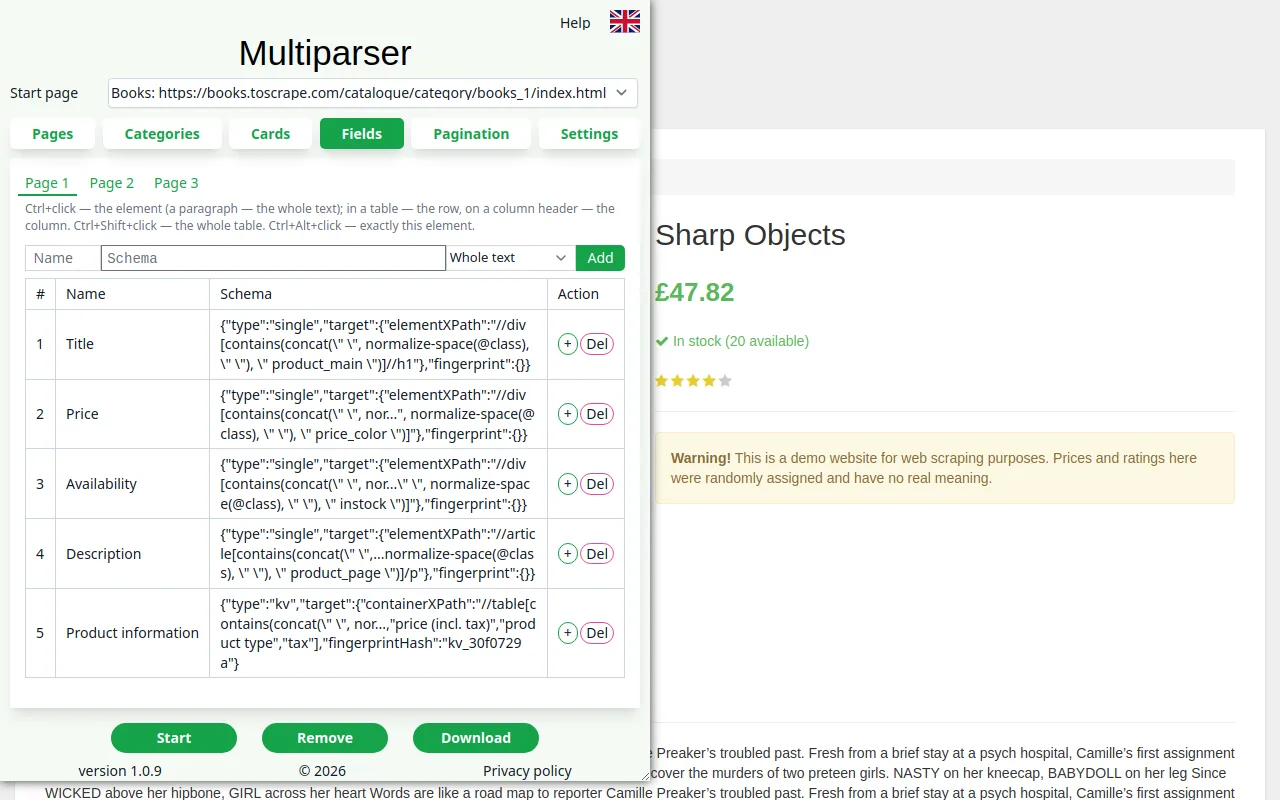
Four steps
Setting it up takes a few minutes. Details are in the help.
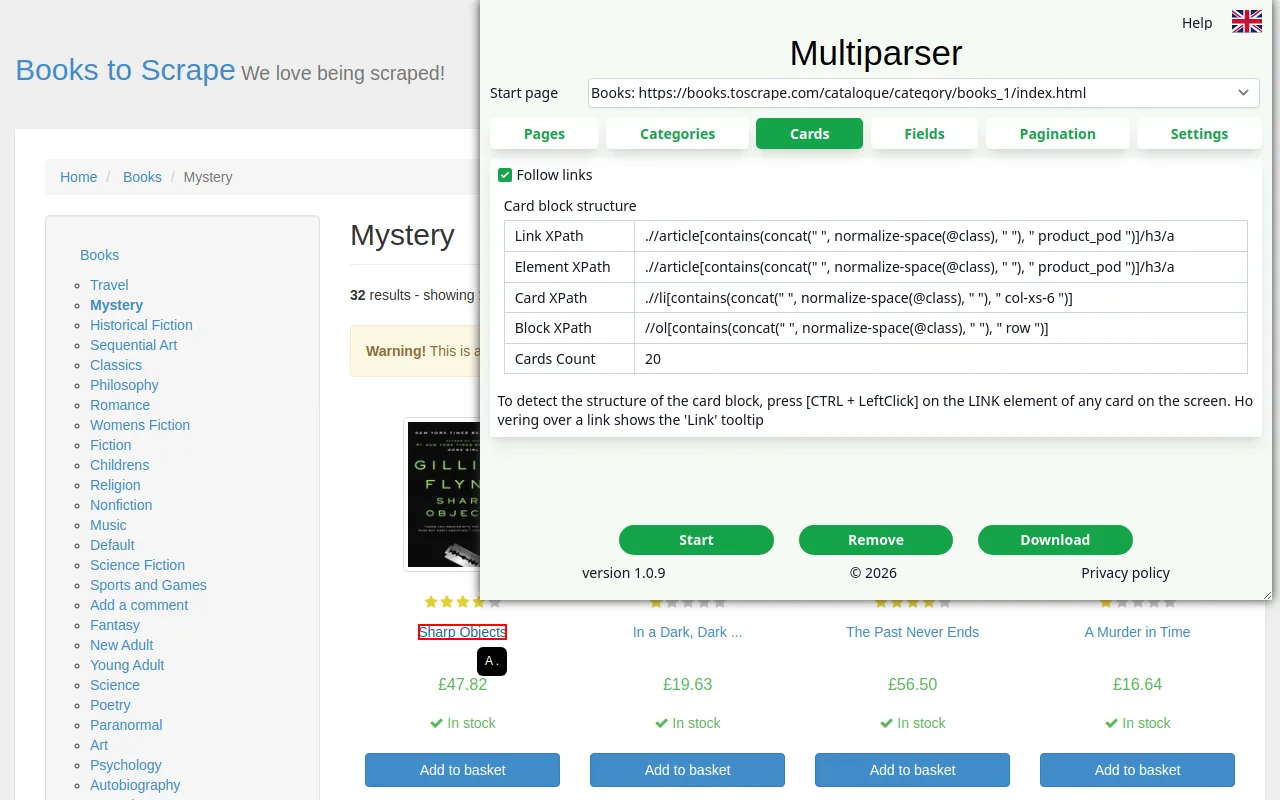 Show a card
Ctrl + click on the link of any product in the list — the extension finds all such cards on the page.
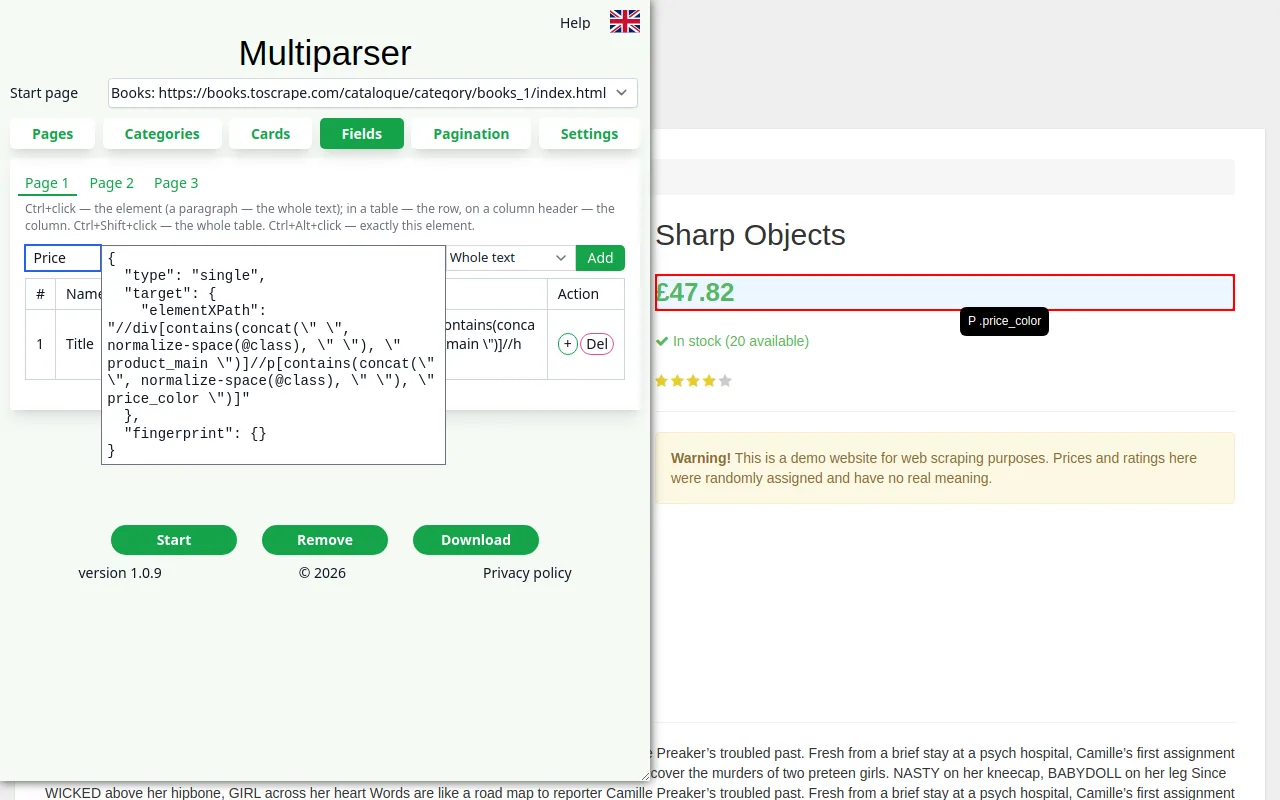 Choose the fields
Title, price, description, specifications table: Ctrl + click on each and a column name.
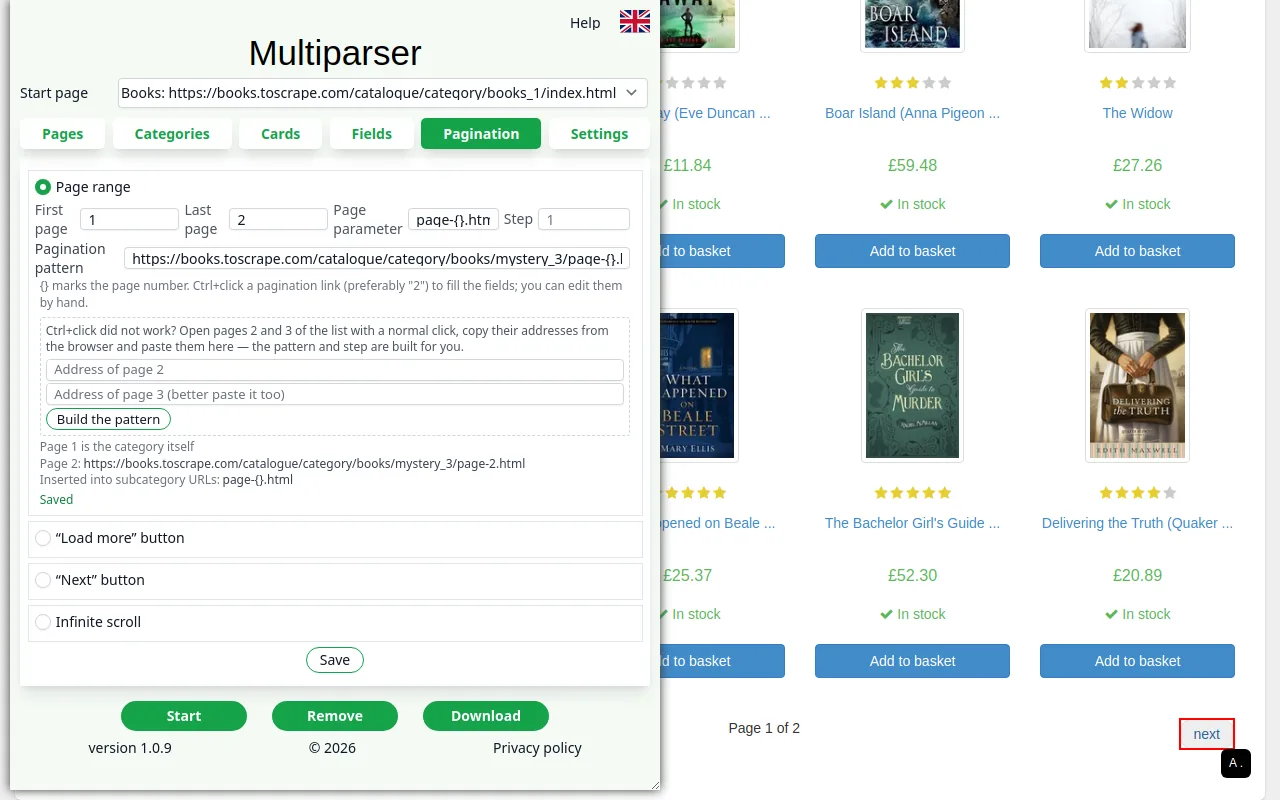 Set the pages
Ctrl + click on a page number, the “Next” or “Load more” button — and how many pages to collect.
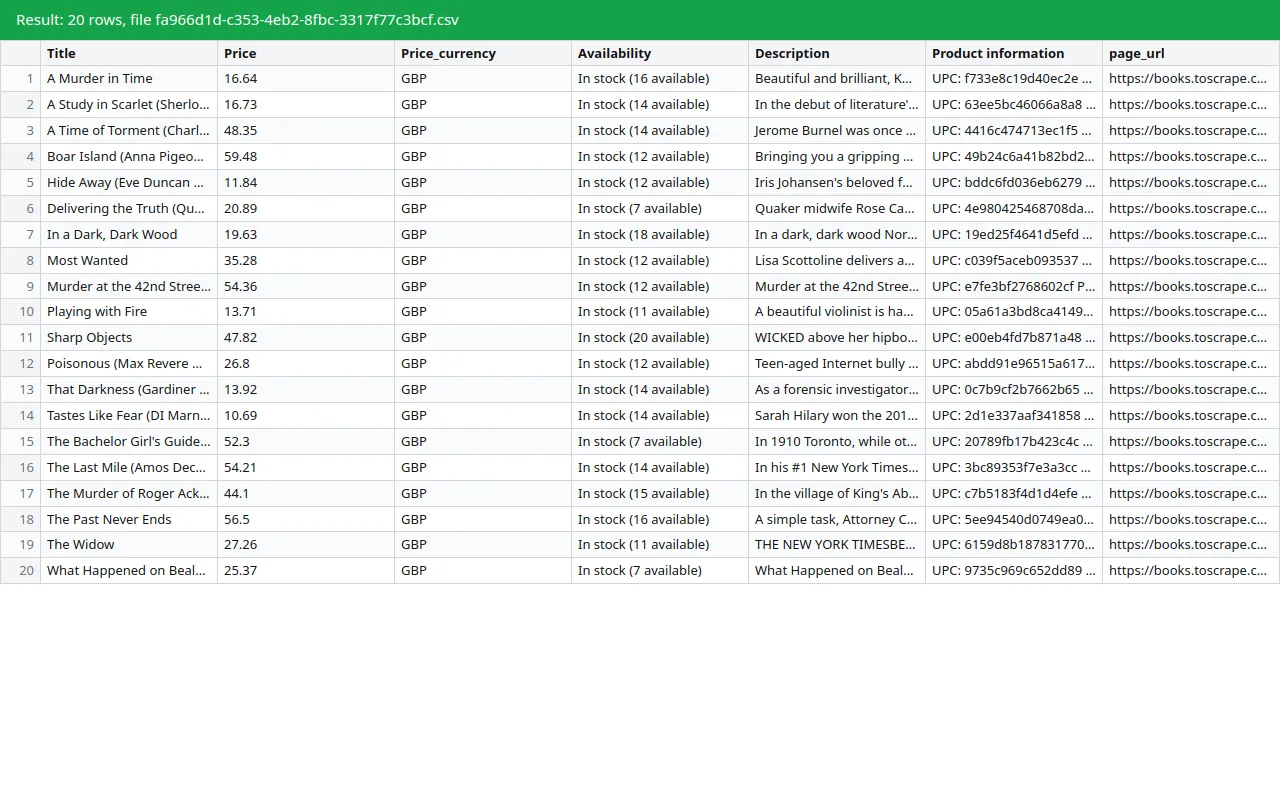 Download the result
“Start” — and the server collects the data. The file opens in Excel and Google Sheets.
What Multiparser can do
The same rules for any website — no setup tailored to a particular shop.
Whole catalogues
Goes through all subcategories of a section, up to three levels deep, and collects the cards of each.
Any pagination
Page numbers, “Next” and “Load more” buttons, infinite scroll. Stops by itself when the list ends.
Fields from the card or the list
Opens the page of every product — or, faster, reads the fields right from the list.
Tables, lists, prices
Specification tables and size charts, sizes as a list. A price is written as a number, its currency in a column of its own.
Sites with bot protection
Many sites protect themselves from automatic collecting. The parser recognises the protection and picks a suitable browser mode by itself.
Runs on the server
Your computer stays free: after “Start” you may close the tab. The file is kept for 3 days; the “Download” button is in the same panel.
Plans
Start for free. More comes with sign-up and a subscription, and we do difficult jobs for you.
Free
$0
- up to 100 cards per run;
- 1 job at a time;
- up to 20 runs a day;
- CSV and JSON, no sign-up.
Signed up
$0
- up to 300 cards per run;
- 2 jobs at a time;
- up to 50 runs a day;
- projects and results in your account — on any computer.
Pro
subscription
- thousands of cards per run;
- several jobs at a time;
- collecting on a schedule: prices, stock, new products;
- priority in the queue.
Custom scraping
price on request
- any volume — tens of thousands of cards;
- difficult sites;
- output in the form you need, regularly.
Write to us what to collect and from where.
Contact us
A question about the parser, custom or regular data collecting — write, and we will reply to your e-mail.
Or write to us directly:
si2pars@gmail.com